Text-to-Image Search
CLIP embeddings + FAISS: search photos by typing a description, with a web UI.
Search a photo collection by describing what you want, like “a dog catching a frisbee”, or by giving an example photo. CLIP embeds images and text into the same vector space, FAISS finds the nearest images in milliseconds. No labels or tags needed.
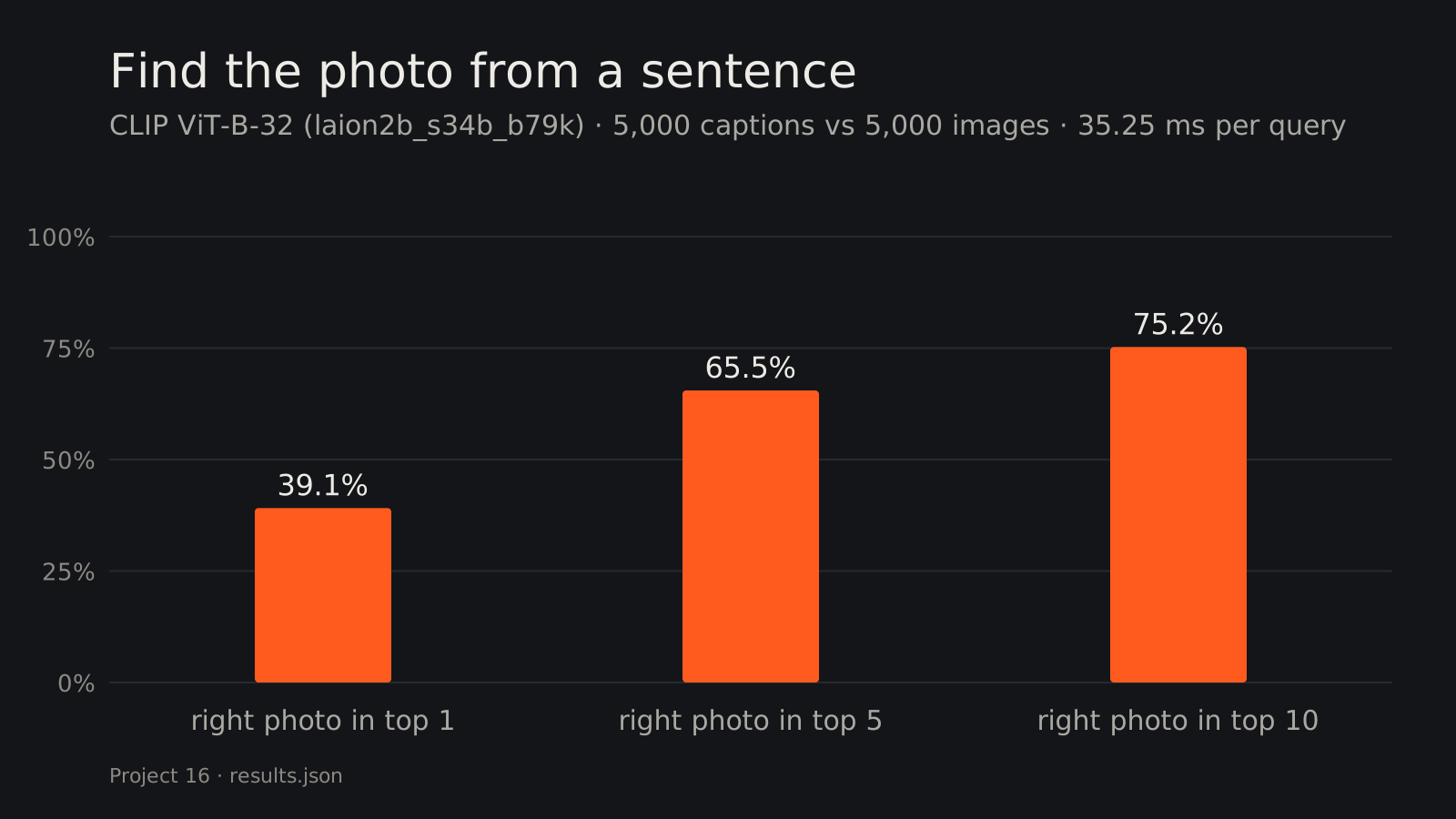
Results
Index: the 5,000 images of COCO val2017. Evaluation: 5,000 human-written COCO captions, each with exactly one correct image among the 5,000. Recall@K = how often the correct image is in the top K.
| Metric | Value |
|---|---|
| Recall@1 | 39.1 % |
| Recall@5 | 65.5 % |
| Recall@10 | 75.2 % |
| Indexing speed (CPU) | 16.3 images/s (5,000 images in ~5 min) |
| Query time (text embedding + search) | ~35 ms |
These match published zero-shot results for this model (ViT-B/32 trained on LAION-2B, ~39 % R@1 on COCO 5k), with no training on COCO at all. Picking the exact right image out of 5,000 on the first try 39 % of the time is hard: many COCO captions (“a man riding a wave on a surfboard”) fit dozens of images, so the top results are often correct-looking images that just aren’t the one.
Example images not shown: the dataset licence (COCO images are Flickr photos under mixed licences) does not allow redistribution; see the dataset page.
How it works
- Embed images once: CLIP’s image encoder (ViT-B/32) turns every photo into a 512-d vector. Vectors are L2-normalized, so inner product = cosine similarity.
- Index: vectors go into a FAISS
IndexFlatIP(exact search; at 5,000 images a brute-force search takes well under a millisecond). - Query: the text encoder embeds the query into the same space; FAISS returns the closest images. For image-to-image search, the query photo goes through the image encoder instead.
CLIP learned this shared space from 2 billion image-caption pairs (contrastive learning): matching image/text pairs are pulled together and non-matching ones pushed apart. That’s why it handles queries it was never explicitly trained to classify.
Data
- Images: COCO val2017 (5,000 images, CC BY 4.0 annotations; images from Flickr under their respective licenses).
- Captions for evaluation:
captions_val2017.json(5 captions per image; 5,000 sampled with a fixed seed). - Model: OpenCLIP
ViT-B-32/laion2b_s34b_b79k. - Location:
../../cv-data/clip-search/(not committed).
Run it
.venv\Scripts\activate            # shared environment, from the repo root
cd 16-text-to-image-search
python clip_search.py index                          # embed all images (~5 min on CPU)
python clip_search.py search "a red double-decker bus"
python clip_search.py evaluate                       # Recall@K
python app.py                                        # web UI: text → image and image → image
Get the data (≈ 1 GB):
Invoke-WebRequest http://images.cocodataset.org/zips/val2017.zip -OutFile val2017.zip
Invoke-WebRequest http://images.cocodataset.org/annotations/annotations_trainval2017.zip -OutFile ann.zip
tar -xf val2017.zip; tar -xf ann.zip annotations/captions_val2017.json
What I learned / what didn’t work
- Recall@1 understates real usefulness. For search, a user scans a grid, so R@10 (75 %) is closer to the experience, and many “misses” are equally valid images (see the frisbee grid).
- Similarity scores are low in absolute terms (~0.3 for great matches). CLIP’s text-image cosine similarities live in a narrow band, so scores are only meaningful relative to each other; a fixed “match” threshold doesn’t work well.
- Brute-force search is the right call at this scale. Approximate indexes (IVF, HNSW) only pay off from ~100k+ images; here they would add complexity and lose recall.
Next steps
- Larger CLIP model (ViT-L/14) or SigLIP for higher recall, at ~5× the indexing time.
- Index a personal photo folder; add an approximate index (HNSW) for 100k+ images.
- Export the image encoder to OpenVINO (project 19) to speed up indexing on the iGPU.
Tech stack
Python · OpenCLIP (ViT-B/32) · FAISS · PyTorch · Gradio · Matplotlib